

Review Flow Studio’s checks
Flow Studio can check individual step objectives and branching conditions, simulate complete conversations, and rerun saved tests after edits. Read its summary to see which checks actually ran and what passed or failed.Saved conversation tests simulate SMS or email. They do not simulate a live voice call. Review voice behavior and call configuration separately before deploying.
Ask Flow Studio to test a scenario
Test an interested lead who answers every question. Check that the flow collects their needs and timeline before offering a call with our team.
Test someone who is unsure about their timeline. Make sure the agent does not get stuck repeating the question.Flow Studio saves the conversation scenarios it tests so you can run them again from the profile’s Tests tab.
Create and rerun saved tests
1
Open Tests
In the profile editor, select Tests. Enter edit mode to create, edit, or run tests.
2
Choose a starting point
Click New test, or Create test if the list is empty. Choose a starting template or start from scratch.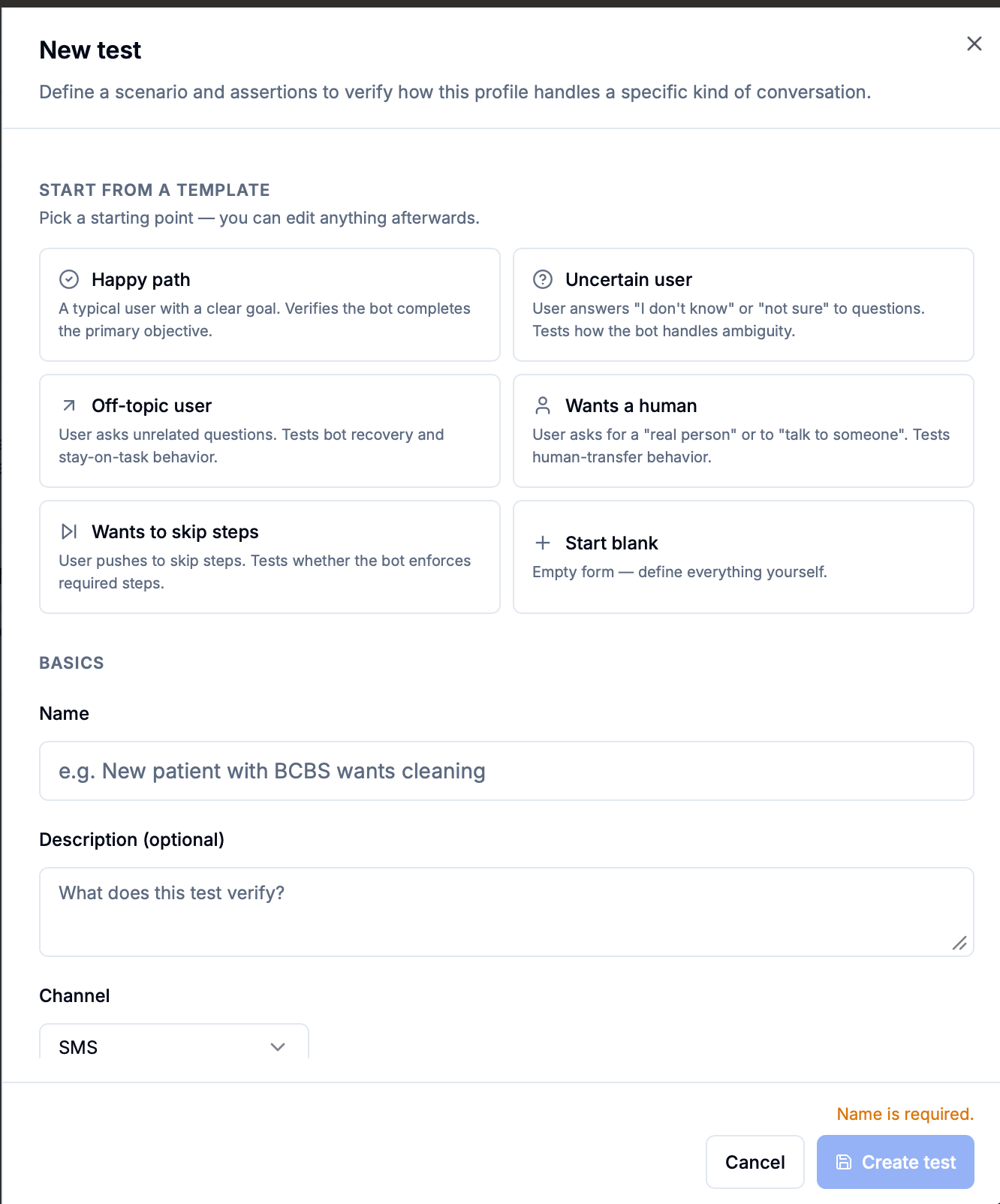
3
Describe the scenario
Give the test a name, choose SMS or Email, and describe the simulated lead in Persona. Add an initial message and starting variables when relevant.
You are a lead comparing options. You want more information before deciding and are unsure about your timeline.
Set starting conditions (optional)
Set starting conditions (optional)
Set Initial user message to choose how the conversation starts, or leave it blank to let the simulated lead begin. Use Initial variables for information the agent already knows, such as the lead’s name. Max turns limits how many user turns the simulation can take.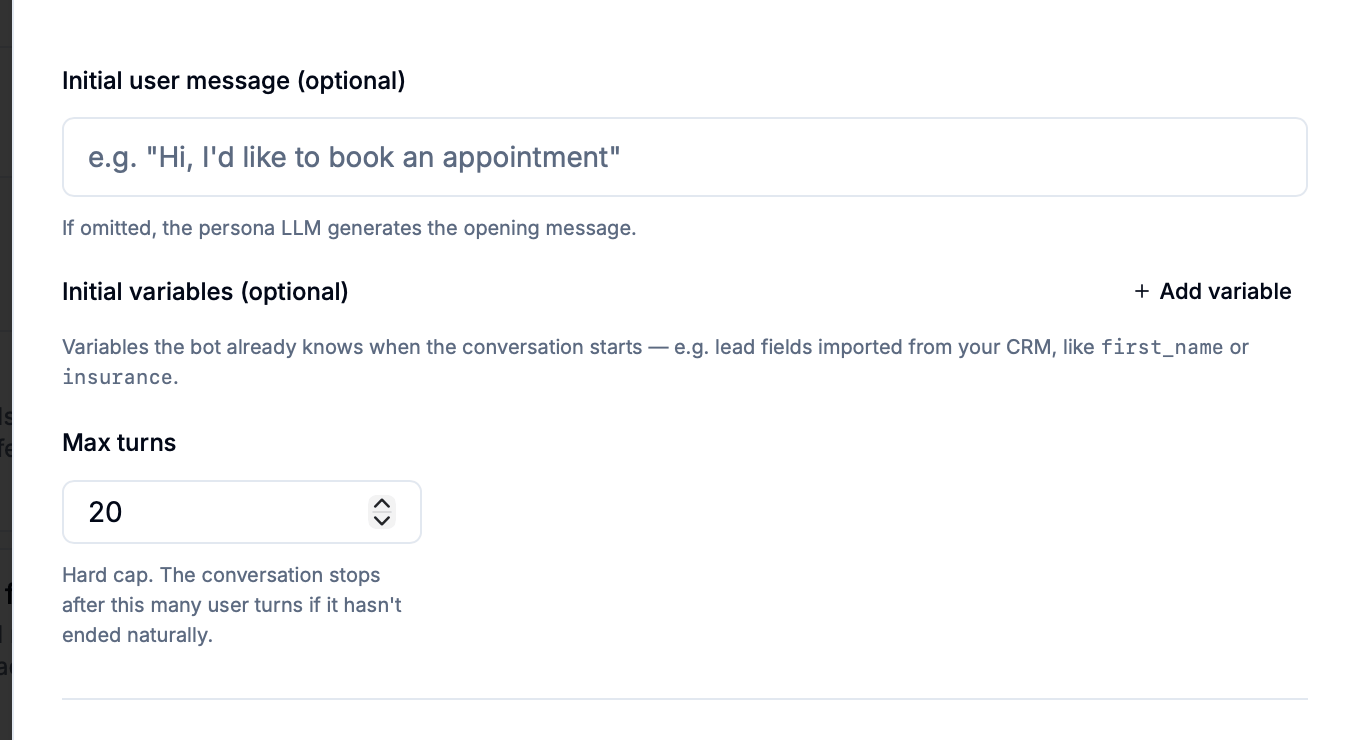
4
Set the expected outcomes
Add Assertions for what should happen: visiting a step, collecting a variable, keeping the conversation within a turn limit, or meeting a written requirement.Use AI judgment (natural language) to describe a successful outcome in plain language. For example: “The agent asks about the lead’s needs before offering a call.” Every assertion must pass for the test to pass.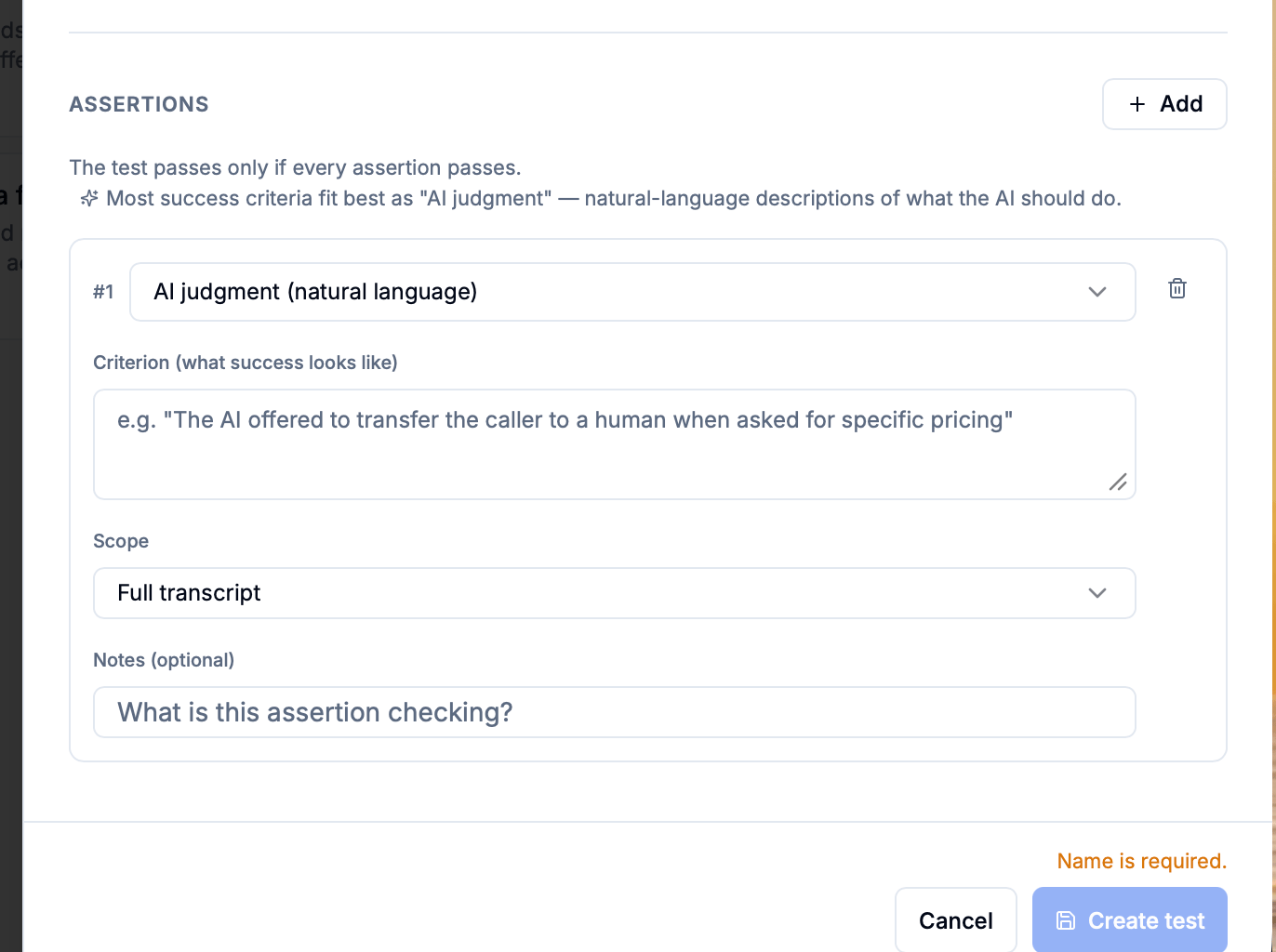 Click Create test to save it.
5
Run and inspect
Run an individual test or click Run all. Open its results to review the assertions, simulated transcript, and flow activity.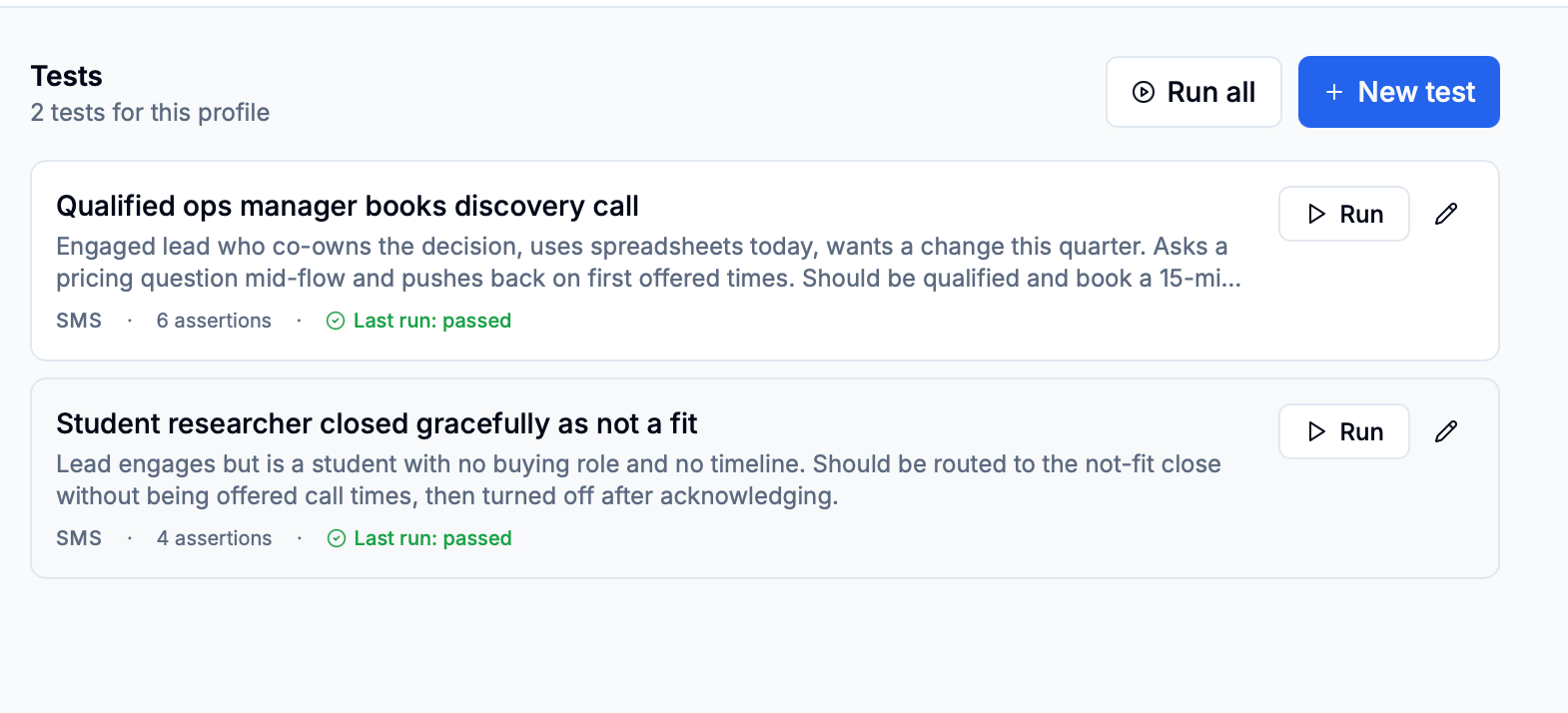
Refine a failing flow
Send the failed scenario and the expected behavior back to Flow Studio, then rerun the same test after the change.The uncertain-timeline test is failing. Let the lead give an approximate timeline, keep the other questions, and rerun that test.Rerun relevant saved tests after manual edits too. A previous passing result does not check changes made since that run.