

Start an investigation
From a message: Hover over an AI-generated text or outgoing email and click the flag icon to ask Tux.
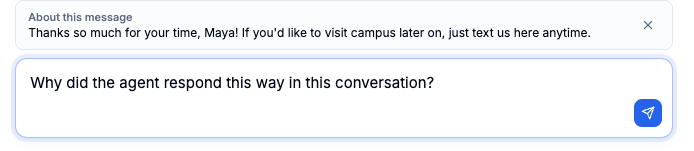
Why isn’t the agent asking Alex Morgan for a zip code?
What to ask
Read the Possible issue card
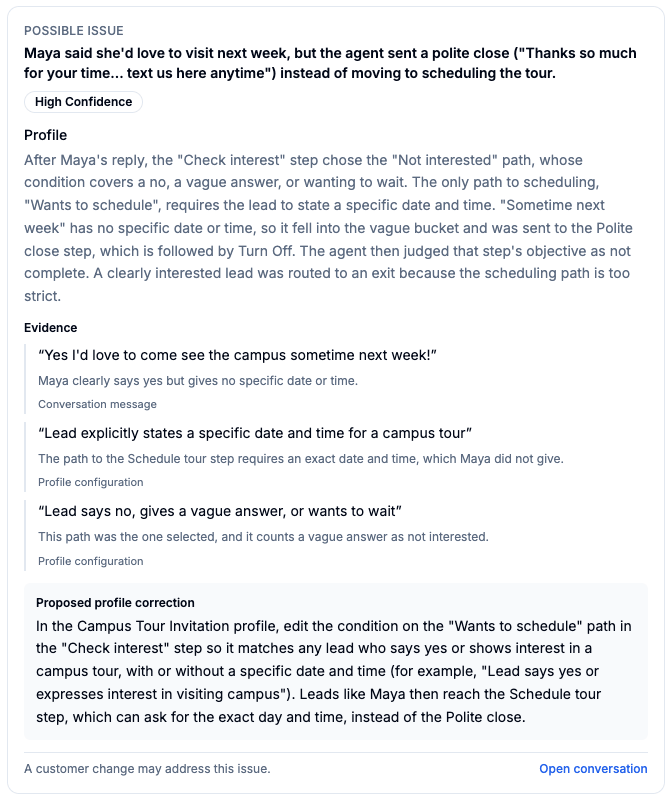
When the evidence supports a specific cause, Tux adds a Possible issue card to its answer. The card shows:- Issue and confidence: what went wrong, rated high, medium, or low confidence.
- Cause: where the problem comes from and why it happened.
- Evidence: quotes from the conversation, your settings, or Tux’s review, each with its source.
- Proposed profile correction: a suggested change, when the issue is in a customer profile.
- Open conversation: a link back to the conversation.
Fix the issue
Tux recommends changes but does not make them. To apply a fix, update the customer profile or open the flow in Flow Studio.Good to know
What if the profile changed after the conversation?
What if the profile changed after the conversation?
Tux reads the current published profile, which may differ from the one used during the conversation. Tux tells you when this could affect its answer. Recent follow-up messages keep a record of the strategy used when they were sent, so later edits do not affect that record.
How does Tux handle profile variants?
How does Tux handle profile variants?
Tux reviews a lead on a variant against that variant’s profile.
What can Tux see for calls?
What can Tux see for calls?
Tux can read call transcripts and outcomes. Details about the decisions made during a call may not be available.