

Write a useful brief
Flow Studio can draft the profile’s description, tone, conversation flow, and follow-up instructions. Confirm the generated content matches how your business works.
Start from a template
Use a suggested template as a starting point for a new flow, follow-up outreach, or a change in tone. Selecting a template fills in the message so you can edit it before sending. Replace its example goals and business details with your own.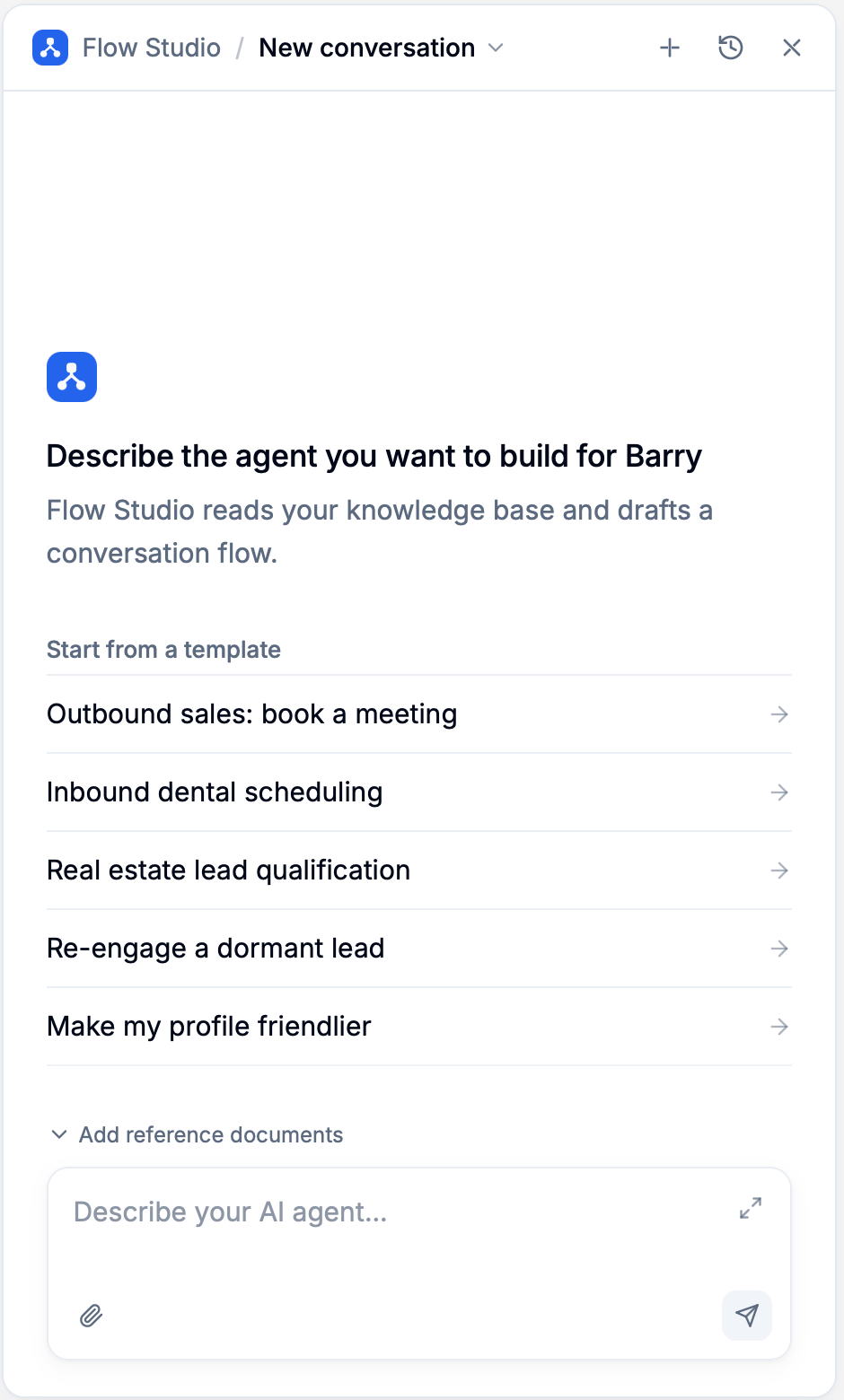
Refine an existing flow
Continue in the same conversation and name the step or behavior you want to change.Make the greeting warmer, but keep the rest of the flow unchanged.
Ask about the lead’s needs before their timeline, and save both answers for later steps.
If the lead says they are unsure about their timeline, offer help instead of repeating the question.
Explain what you changed and rerun the saved tests for qualification.Review the Changes list to inspect edits to the flow and profile fields. For a change you do not want to keep, see restoring earlier work.
Guide a run in progress
While Flow Studio is working, type an additional instruction and press Enter to steer the current run.Keep the greeting under two lines.An instruction sent near the end may not be applied. Check the response and any notice about unapplied instructions, then send it again as a follow-up if needed. Use Stop generation to stop the run. Review the draft afterward; stopping does not undo edits already made. Attach additional files after the run has stopped or finished.